How to Convert Text to Image ——3 Methods Explained
In 2026, visual content is no longer just an accessory; it's a driving force in how people create, engage with, and share information online. According to a recent study, visual content garners 94% more views than plain text. This trend is evident across social media, where posts featuring visuals typically receive more engagement—comments, likes, and shares—compared to those with just text. As technology evolves, AI has made it easier to transform text into images, allowing for more engaging content.
With around 6.04 billion internet users worldwide as of October 2025, it's no surprise that people encounter billions of images daily. An astonishing 3.2 billion images are shared online every day, making it essential to understand the text-to-image conversion process.
What Is Text to Image Conversion?
Text-to-image conversion involves turning written text into a visual format. Once converted, the text becomes non-editable, rendered as pixels in the image. This makes the text fixed and visually appealing.
Key Concept
The central idea behind text-to-image conversion is simple: how can text be visually represented? This can be achieved through various methods, including:
- Rendering text onto a canvas
- Designing text within a visual layout
- Generating images from textual descriptions
- Exporting documents or designs as image files
Methods to Convert Text to Image
There are several methods, both online and offline, available for converting text to images. Some tools allow users to paste text into images during the design process, while AI-based tools generate images from provided text prompts. Below are some common methods for converting text into images.
Text to Image Tool (Online)
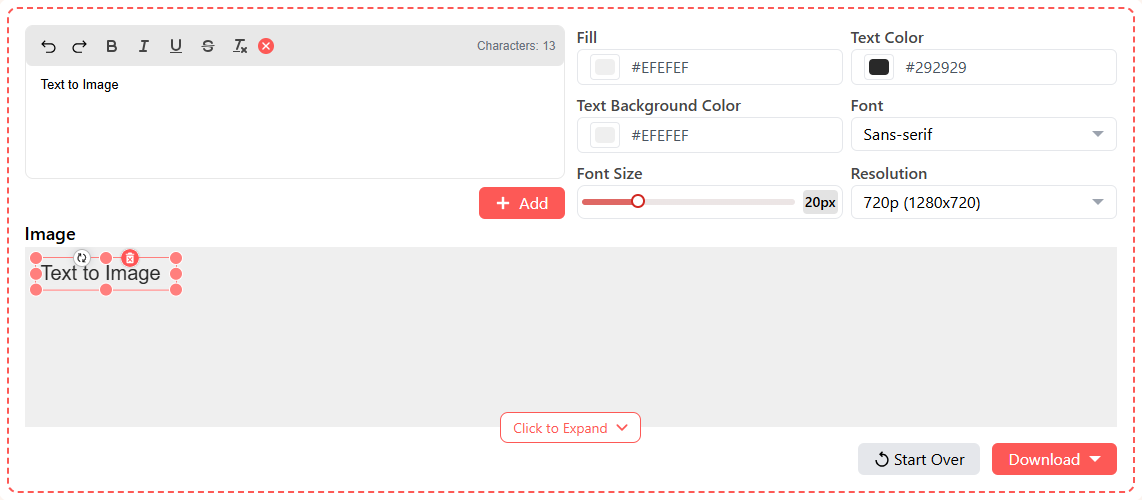
Using an online tool l is one of the simplest ways to convert text into images. Here’s how it works:
-
Input Text: Open the tool and enter the desired text in the provided input box. You can type it in or copy and paste it.
-
Customization: Format the text to your liking. You can:
- Bold, underline, or italicize text
- Choose a solid background color
- Set a different background for the text
- Change font size and style (Sans-Serif, Monospace, or Serif)
- Select the desired resolution (720p, 480p, 360p, 240p)
-
Download Image: After customization, click the “Download” button and select your preferred file type (PNG or JPEG).
Microsoft Word (Offline)
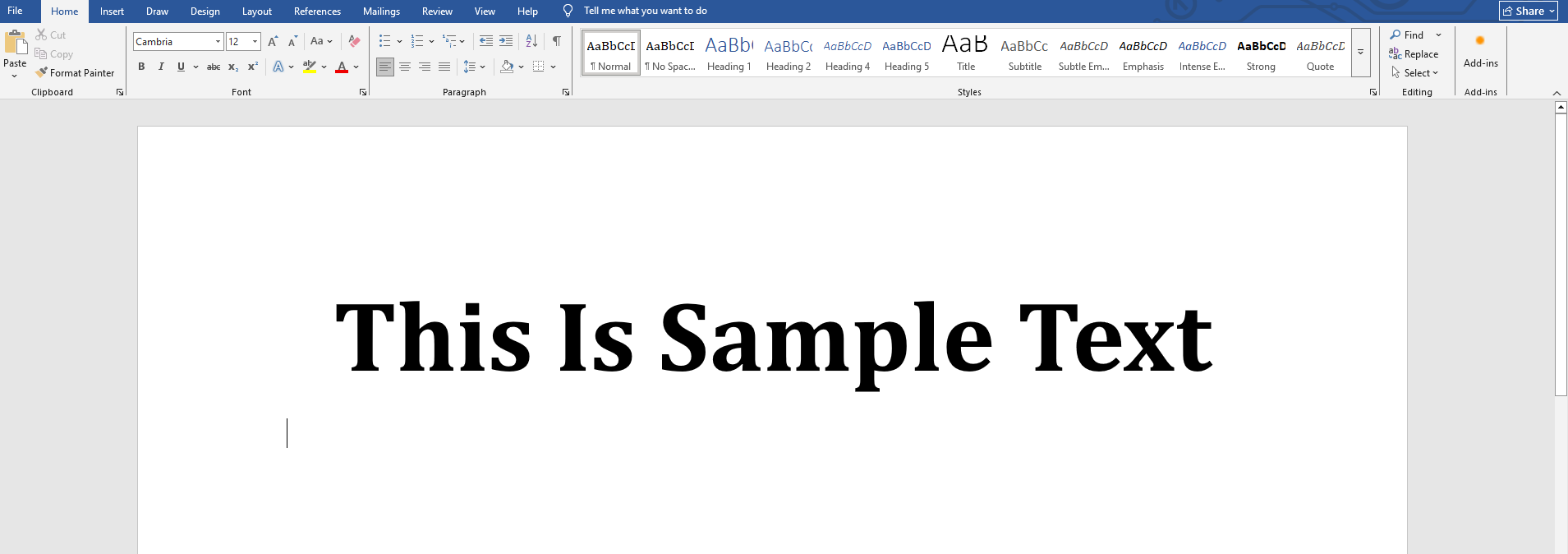
If you prefer an offline method, Microsoft Word can convert text to images without needing an internet connection. Here’s how:
- Add Text: Open a new document and type or paste your text.
- Format Text: Use Word's formatting options to enhance your text. You can utilize features like Word Art and Shape Formatting for a more illustrative appearance.
- Convert to Image: Select the text, copy it, and then use the "Paste as Image" option (right-click).
- Save as Picture: Once converted, you can resize, crop, or add captions. To save it as an image, click on it, select “Save as Picture,” and choose the destination folder.
AI-Based Text to Image Conversion
AI tools such as ChatGPT and Gemini are becoming increasingly popular for generating images from text prompts. To effectively convert text into images, you can use a specific prompt, such as:
While you can use this prompt, keep in mind that AI tools may adjust certain elements automatically.
Here are some practical applications for converting text into images:
- Social Media Posts: Enhancing posts for better attention and engagement.
- Quotes and Tips: Sharing these as images makes them more visually appealing.
- Marketing Materials: Businesses often use text images in ads and promotions to maintain consistent branding.
- Website Design: Implementing text images in banners to control layout and enhance aesthetics.
- Preventing Text Theft: Converting meaningful content into images can deter easy copying.
- Presentations: Students and professionals use text images to ensure consistent formatting.
Numerous methods exist for converting text to images. While using an online text-to-image converter is often the most efficient, choosing the method that best suits your needs will yield the best results.
Additionally, it's worth noting that tools like Intent now offer image translation features, further expanding the capabilities for visual content creation.