Group chats with people who speak different languages are increasingly common, like international friend groups, remote work teams spread across countries, travel companions, study groups, and cross-border communities. The problem is obvious: when half the conversation is in a language you do not read, you feel lost. Copying each message into a separate translator is slow and breaks the flow of conversation.
What you need is a translation app designed specifically for group chats — the one that translates messages automatically so everyone can read everything in their own language without extra steps. In this guide, we compare the best options available in 2026 and explain what makes a great multilingual group chat app.
What Makes a Good Translation App for Group Chats
Translating a single sentence is easy. Translating an entire group conversation in real time, across multiple languages, without disrupting the chat flow, which is a different challenge. Here is what separates a genuinely useful chat translator app from a basic translation tool:
- Automatic translation
Messages should be translated without anyone pressing a button. Each person reads the chat in their own language naturally.
- Multi-language support in one chat
Real group chats include three, four, or even more languages at once. The app needs to handle many-to-many translations, not just one pair.
- Speed
Translations need to appear almost instantly. If there is a noticeable delay, the conversation rhythm breaks.
- Context awareness
Chat messages are informal, full of slang, abbreviations, and cultural references. The translator needs to handle conversational language, not just formal text.
- Voice message support
Many group chats include voice messages. A great translation app translates those too.
- Media translation
Photos, screenshots, and images shared in chat often contain text that matters. Translating those within the chat is a major bonus.
Intent: Built-In Translation for Every Message
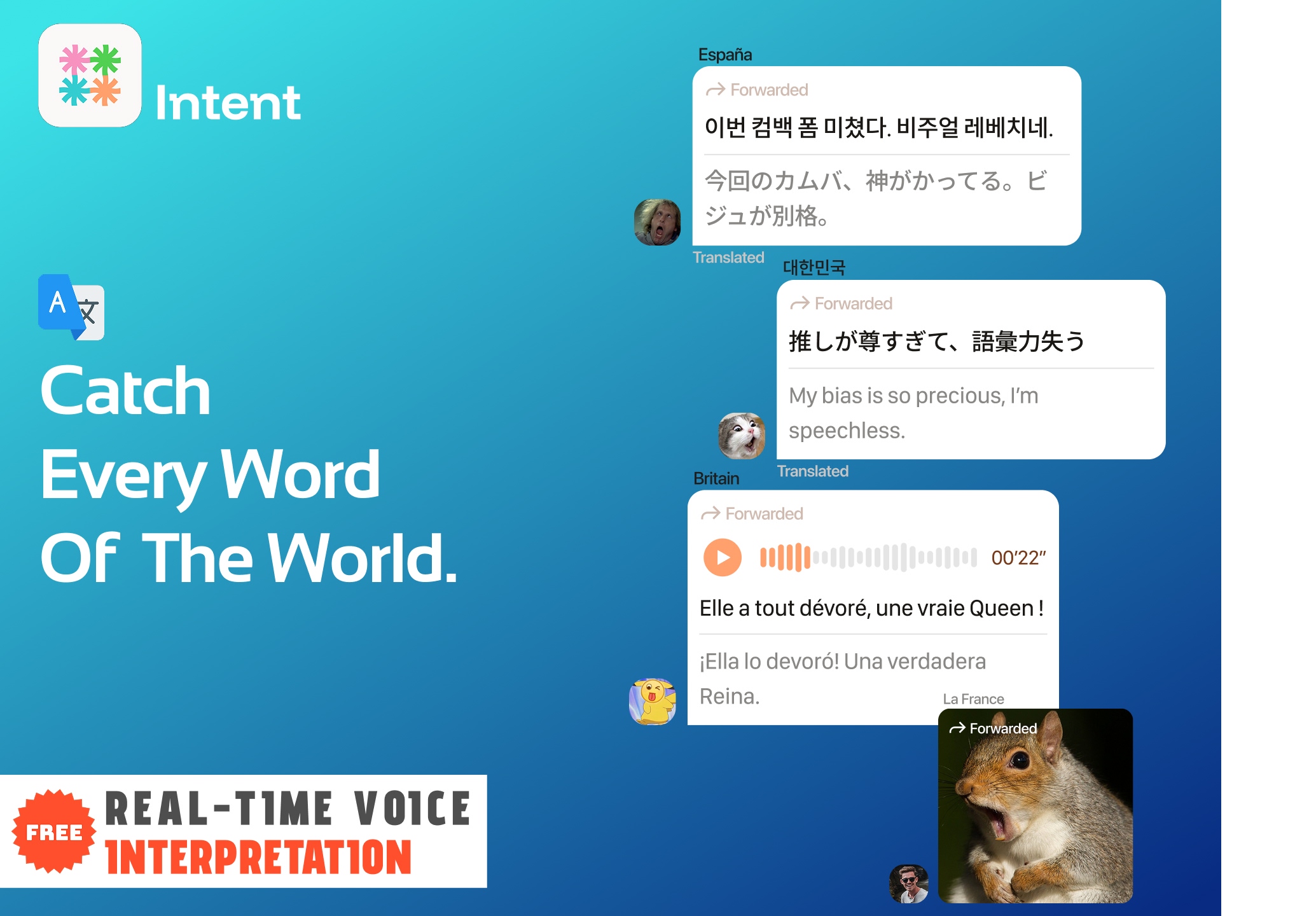
Intent is not a translation add-on or plugin but a messaging app with translation built into its core. Every text message, voice message, and image shared in a group chat can be automatically translated for each participant.
How it works:
- Each user sets their preferred language. Messages appear in the sender's original language and are automatically translated for everyone else.
- Voice messages are transcribed and translated so you can read what was said without listening in a language you do not understand.
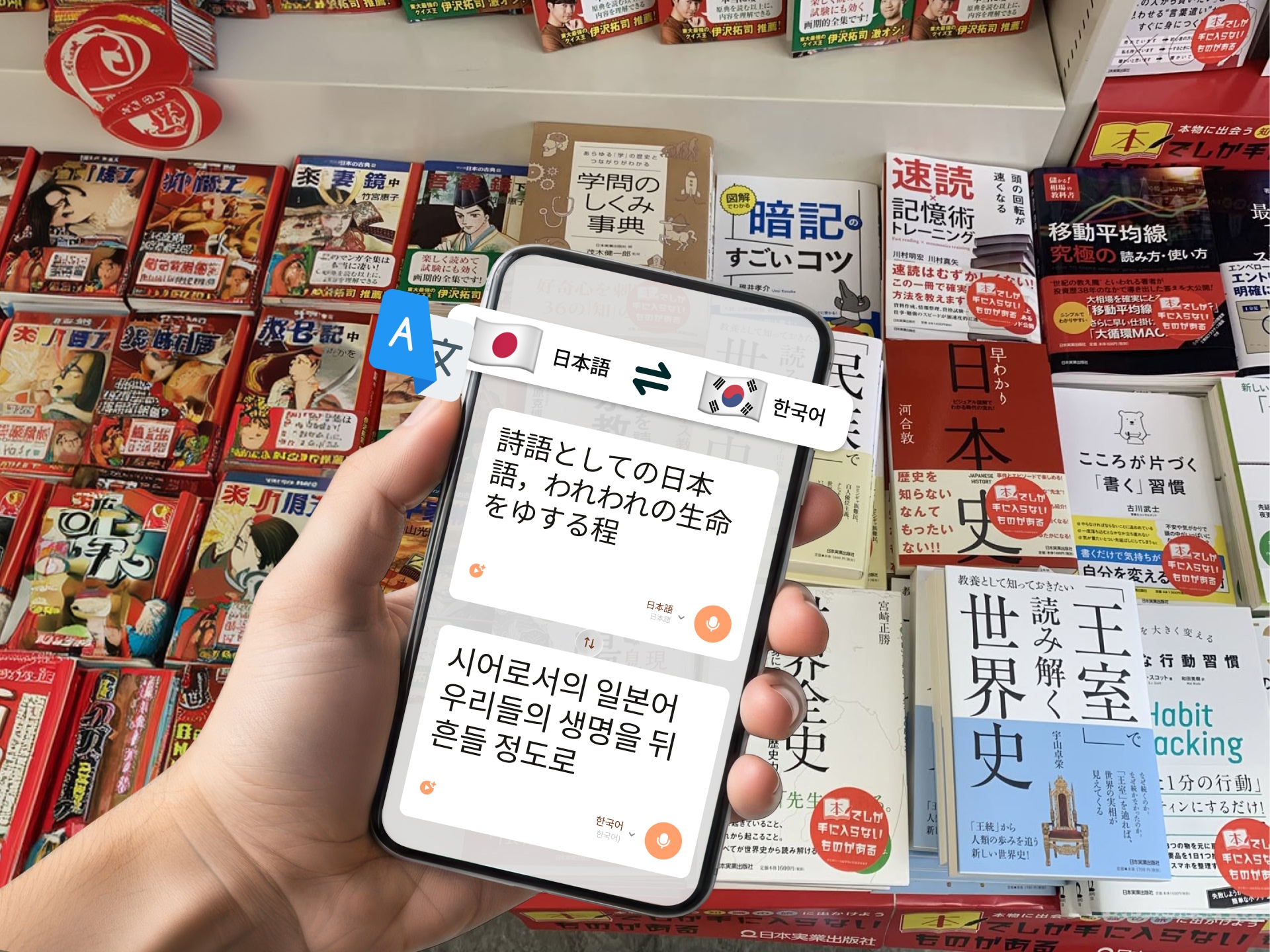
- Images shared in the chat can be translated using Intent's online image translator for restaurant menu photo or a screenshot in another language becomes readable for everyone.
- AI voice cloning lets translated voice messages sound like the original speaker, making the experience more personal and natural.
What makes it different:
- Translation is not an afterthought. The entire messaging experience is built around it. You do not need to install a separate plugin or manually trigger translation.
- Supports 100+ languages in a single group chat. Five people speaking five different languages can all converse naturally.
- Works on iOS and Android with a clean, modern chat interface that feels like any mainstream messaging app.
Intent is the strongest option for anyone who wants a multilingual messaging app where translation simply works without thinking about it.
Microsoft Translator — Conversation Mode
Microsoft Translator offers a "Conversation" feature designed for multi-person translated chats. Each participant joins a session using a code, selects their language, and types or speaks — messages are translated for everyone in real time.
Strengths:
- Supports 70+ languages for text and 40+ for speech
- Multi-device support: participants can join from phones, tablets, or computers
- Free to use
- Integrates with Microsoft Teams for workplace use
Limitations:
- Conversation mode requires everyone to join a specific session and it's not a persistent chat app you use daily
- No ongoing chat history — sessions are temporary
- Voice translation quality varies by language pair
- No image or media translation within conversations
- UI feels functional but dated compared to modern messaging apps
Best for: One-time multilingual meetings or temporary group discussions, especially in Microsoft-heavy workplaces.
Google Translate — Copy-Paste Workflow
Google Translate is the most widely used translation tool in the world, but it was not designed for group chat translation. There is no built-in group conversation feature. Instead, users typically copy messages from their chat app, paste them into Google Translate, and read the result.
Strengths:
- 130+ languages: the widest coverage available
- Fast and free with no limits
- Available as an app, browser extension, and floating overlay on Android
Limitations:
- No group chat integration. Every translation requires manual copy and paste
- Completely breaks the conversation flow
- No voice message translation within chats
- No image translation within a messaging context
- Not practical for fast-moving group conversations with multiple languages
Best for: Translating individual messages when you have time and do not mind switching between apps.
How These Apps Compare for Group Chat Translation
When evaluating translation apps specifically for multilingual group chats, the differences become clear:
Automatic translation in chat: Intent translates every message automatically. Microsoft Translator requires a separate session. Google Translate requires manual copy-paste.
Persistent chat history: Intent works as a daily messaging app with full chat history. Microsoft's conversation mode is session-based. Google Translate has no chat feature.
Voice messages: Intent transcribes and translates voice messages with AI voice cloning. Microsoft handles speech in live sessions. Google Translate does not translate voice messages in chat.
Image and media translation: Intent translates images shared in chat using its image translator. Neither Microsoft Translator nor Google Translate offer this within a chat context.
Language coverage: Google leads with 130+ languages. Intent supports 100+. Microsoft covers 70+ for text.
Ease of use for daily group chats: Intent is the only option that functions as a complete, standalone messaging app with translation built in. The others require workarounds or separate workflows.
Choosing the Right App for Your Group
If your group chat involves multiple languages and you want everyone to communicate naturally without constant copy-pasting or session setup, Intent is the clear choice. It combines the chat experience people expect with translation that runs silently in the background.
For occasional multilingual meetings or one-time sessions, Microsoft Translator works well. And for single-message translations when speed is all that matters, Google Translate remains reliable.
The future of group communication is not about adding translation on top of messaging but about making translation invisible within messaging. That is exactly what Intent was built to do.
Start Your Multilingual Group Chat
Looking for more translation tools and communication tips? Visit the Intent blog for the latest guides.