
Preserves Original Layout
Our AI replaces text in-place, keeping fonts, colors, and design intact.

Upload any image. Get instant translation in 100+ languages.
Drop, paste, or click to upload
Supports JPG, PNG, WebP, PDF — Max 10MB
AI Pro: 2 free translations remaining ·
Our AI replaces text in-place, keeping fonts, colors, and design intact.
Automatically detects the source language. Translate to and from over 100 languages.
Supports all common image formats and PDF. Process multiple files at once.
Drag & drop a file into the upload area, click to select, or paste an image URL to load.
Select your target language and click the Translate button to start.
Get your translated image with original layout preserved. Download or share.
Snap a photo of the menu at a restaurant abroad and get instant translation. Order with confidence.
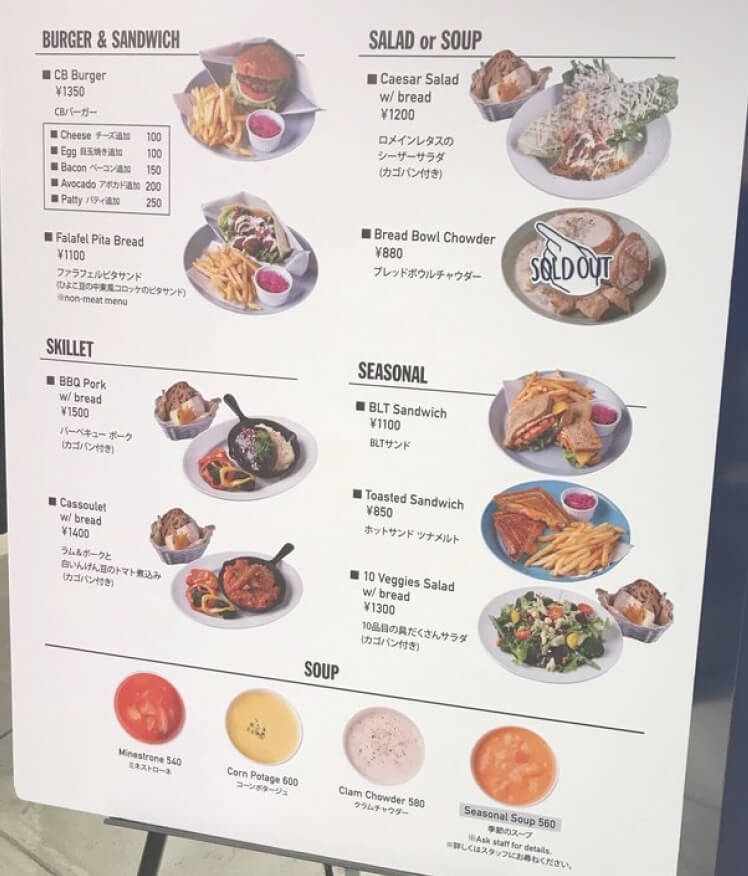 Original
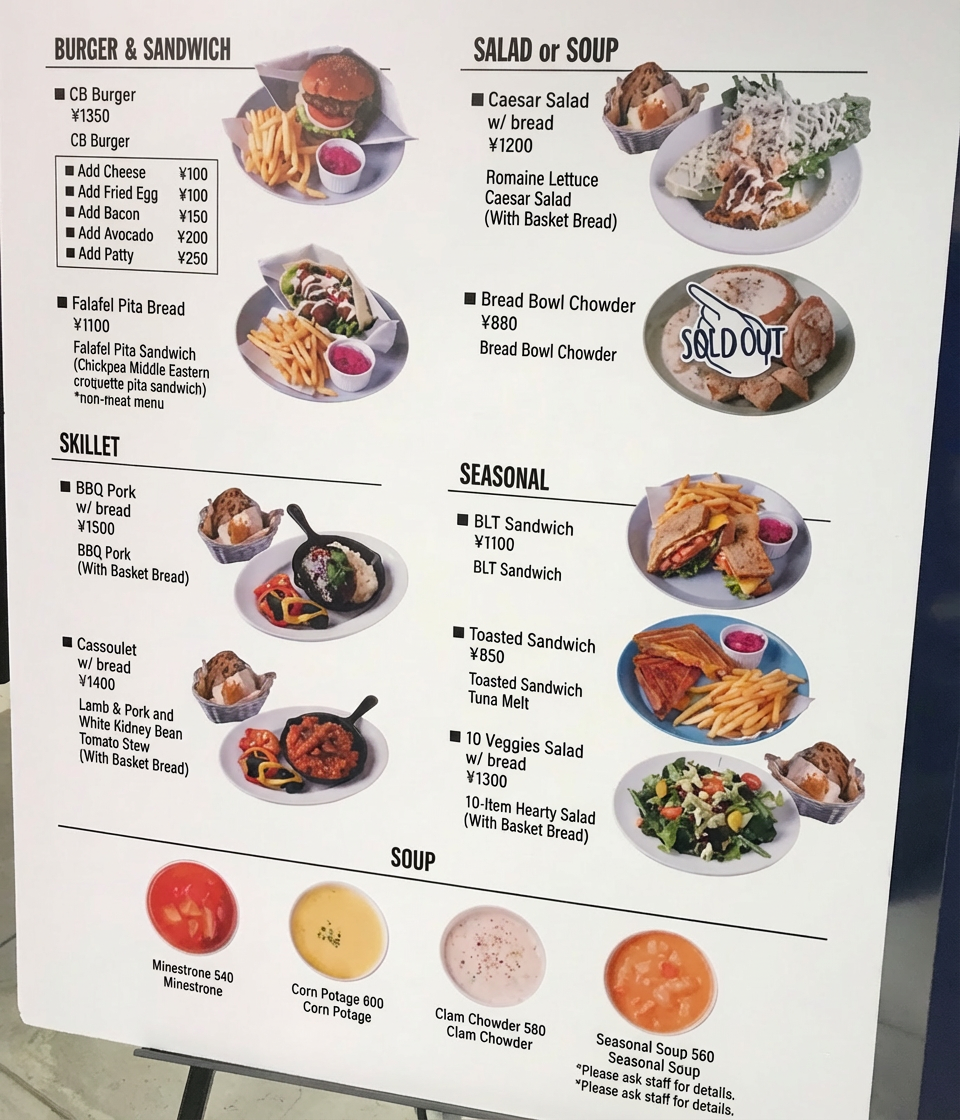 Translated
An AI image translator is a tool that detects text inside an image and translates it into another language.
With Intent, the process is simple:
This allows you to easily translate text from images, including screenshots, menus, signs, scanned documents, and product labels.
Yes. Intent allows you to translate images from Japanese to English instantly.
The AI can detect and translate Japanese text commonly found in:
This makes Intent a powerful Japanese image translator for both casual and everyday use.
Yes. Intent provides a free online image translator with a daily usage quota.
You can upload an image and instantly translate text inside images without creating an account.
The tool supports common formats such as JPG, PNG, WebP, and PDF, and automatically detects the source language before translating it into your selected language.
If you need more translations, additional credits are available.
Intent's AI image translator focuses on providing a clearer and more readable translation experience.
Compared with Google Translate's image translation feature, Intent offers:
These features make it easier to translate text from images while keeping the original visual structure.
If you're looking for the best free online image translator, Intent is a simple and powerful option.
Intent allows you to:
It works well for translating screenshots, menus, signs, and documents.
You can try the Intent AI image translator directly with Intent.
To translate text from an image online, simply upload the image to an AI image translator like Intent.
The tool automatically detects the text in the image and translates it into your selected language.
This works for many types of images, including:
Online image translators make it easy to understand text in images without typing anything manually.


