Many travelers know the feeling: you sit down at a restaurant abroad, the waiter hands you a menu covered in unfamiliar script, and you have no idea what to order. Whether you are in Tokyo deciphering katakana, in Paris puzzling over a handwritten chalkboard, or in Bangkok navigating Thai script, language barriers at the dinner table are one of the most common travel frustrations. The good news is that your smartphone can now translate a menu in seconds. With the right app, you simply snap a photo and get an instant translation, no typing, no copy-pasting, no awkwardly pointing at random items and hoping for the best. This guide shows you exactly how to translate a menu using Intent's free image translator, plus practical tips for getting accurate results every time.
Why Translating Menus Is Harder Than Regular Text
Restaurant menus present unique challenges that basic text translators struggle with. Unlike clean digital documents, menus frequently feature handwritten text, decorative fonts, abbreviated dish names, and culturally specific food terms that lack direct translations. A dish listed as "麻婆豆腐" on a Chinese menu carries cultural context that goes beyond its literal characters. A French menu might list "confit de canard" with no further explanation, assuming the reader already knows the preparation. Italian menus often use regional dialect names for dishes that even standard Italian dictionaries miss. The biggest problem, though, is input. Most travelers cannot type foreign characters into a text translator because they cannot read the script in the first place. That is exactly why an image translator is the practical solution, you photograph the menu and let the tool handle both character recognition and translation in one step.
How to Translate a Menu with Your Phone in 3 Steps
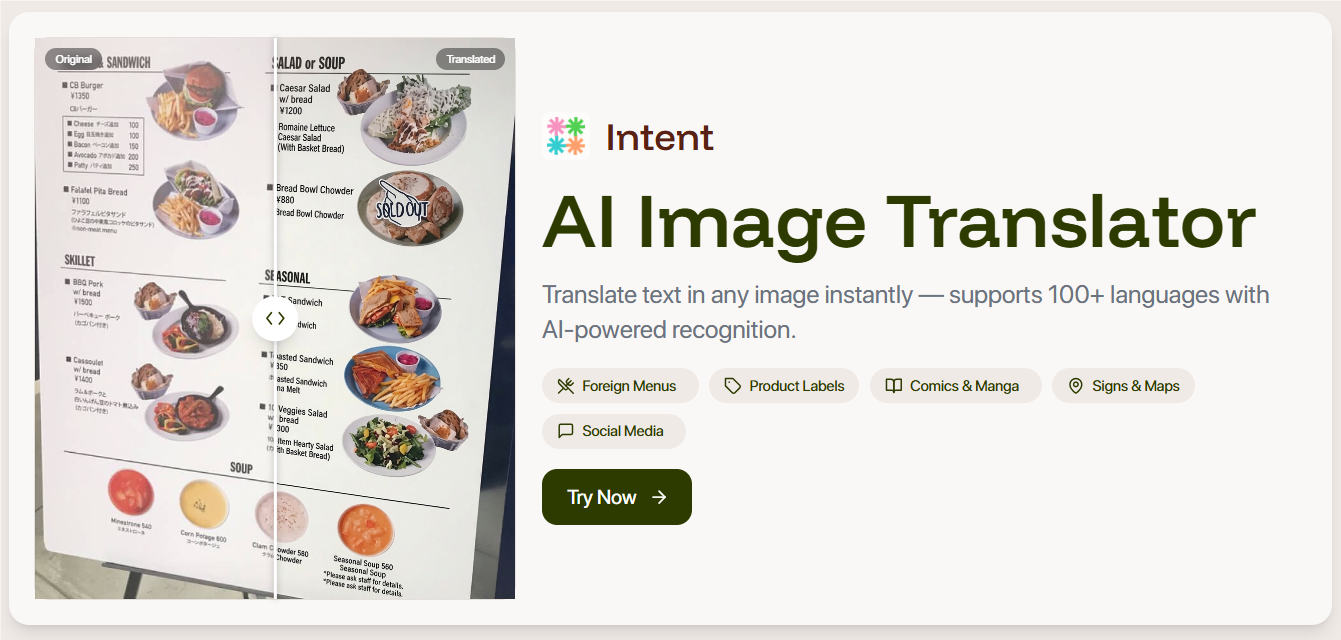
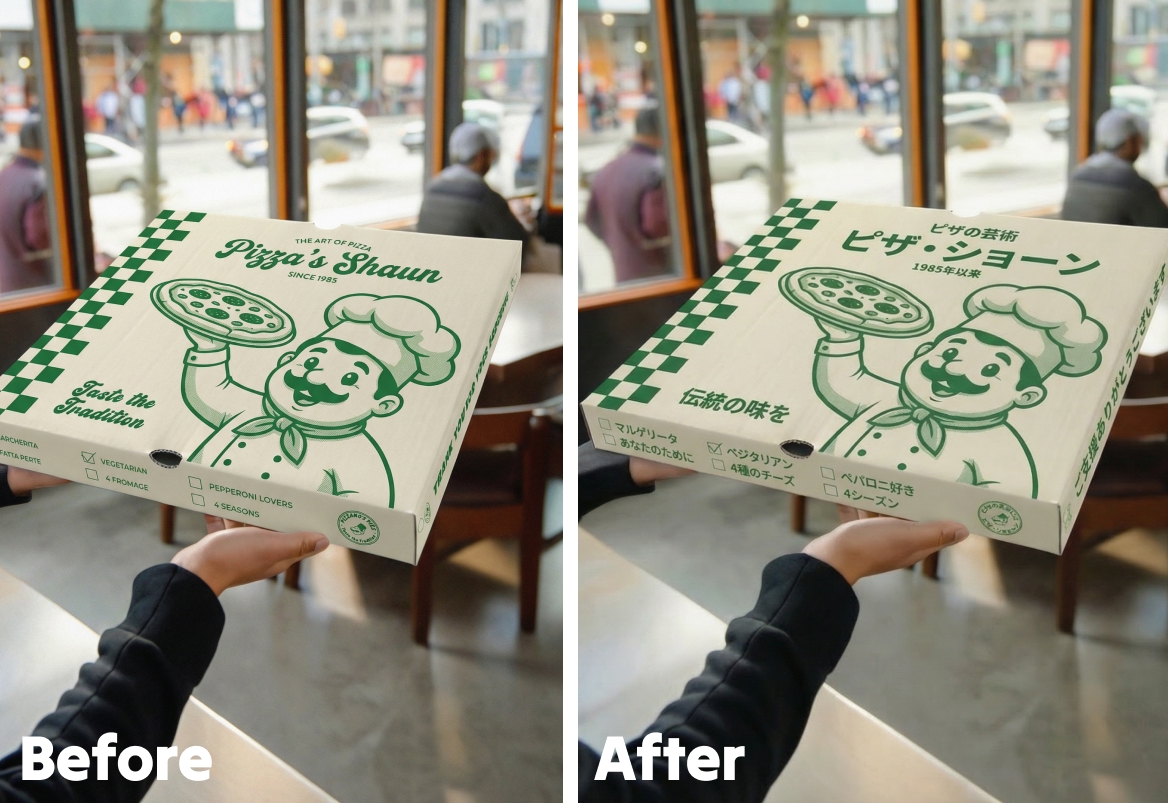
Translating a menu with Intent takes under a minute. The entire process runs in your phone's browser, no app download required. Step 1: Photograph the menu clearly. Hold your phone steady and make sure the text is well-lit and in focus. Avoid casting shadows with your hand. If the menu spans multiple pages, photograph each page separately for the best results. Step 2: Upload to Intent's image translator. Open the free image translator in your browser and upload the menu photo. It accepts JPG, PNG, and PDF formats. Step 3: Choose your language and translate. Select your target language, English, Spanish, French, or any of over 100 supported languages. Within seconds, the tool returns a translated version of the image with the original layout preserved. The translated image keeps the menu's visual structure intact, so you can match each dish name to its price and description at a glance. This is far more useful than a raw block of extracted text with no formatting context.
Tips for Getting the Most Accurate Menu Translation
Even the best image translator depends on photo quality. Here are field-tested tips for getting reliable translations while dining abroad. Lighting is everything. Restaurants are often dimly lit, and that makes text recognition harder. If the lighting is poor, turn on your phone's flashlight or ask for a table near a window. A well-lit photo dramatically improves accuracy. Flatten the menu first. Curved or folded pages create distortion that confuses text detection. Press the menu flat against the table, or hold it open with both hands and have a travel companion snap the photo. Shoot one section at a time. A large multi-page menu photographed from far away produces small, blurry text. Get close and capture one section, appetizers, mains, desserts, per photo. Closer shots yield cleaner results. Handle handwritten specials carefully. Some restaurants, especially in Japan and France, use handwritten daily specials boards. Take the photo straight-on, as close as possible, with maximum contrast between the writing and background. For more travel translation strategies, see the photo translator guide on the Intent blog.
When Menu Translation Actually Matters Most
Translating a menu is not just about convenience, in certain situations it is genuinely important. Food allergies and dietary restrictions. If you are allergic to shellfish, nuts, or gluten, misreading a menu item is not a minor inconvenience, it is a health risk. Translating the full menu lets you identify risky ingredients before ordering, rather than relying on hand gestures and hoping the waiter understood. Street food stalls with no English. The best food experiences abroad often happen at local markets and street carts that serve locals, not tourists. These vendors rarely have English menus. A quick photo translation lets you explore local cuisine with confidence and order dishes you would otherwise walk past. Ordering for a group with mixed preferences. When traveling with family or friends, everyone can review the translated menu on one phone instead of waiting for item-by-item explanations from the server. If your travel group speaks multiple languages, a translation app for multilingual group chats can also help coordinate meal choices in real time. Business dinners in foreign countries. Fumbling through a menu at a client dinner abroad sends the wrong message. A discreet photo translation under the table lets you order confidently and keep the conversation focused on business, not food vocabulary. If you are meeting German-speaking clients and want to break the ice, learning how to say hello in German goes a long way alongside your menu translation skills. Intent handles all of these scenarios, from a street food cart in Bangkok to a fine-dining restaurant in Tokyo. The same tool also works for manga and comic translations and any other image with text.
Why Intent Is the Smartest Menu Translator for Travelers
Several apps offer camera or image translation, but Intent stands out for travelers who need fast, reliable menu translations without friction. No app download required. Intent's image translator runs entirely in your browser. When you are abroad with limited phone storage or slow mobile data, skipping the app install is a real advantage. Layout preservation. Unlike tools that dump extracted text into a plain text box, Intent returns a translated image that mirrors the original formatting. You see exactly which dish is which, with prices in the right place. 100+ languages supported. Japanese, Thai, Arabic, Portuguese, Korean, whatever script your menu is printed in, Intent handles it with natural, context-aware translation rather than robotic word-for-word output. Free to start immediately. You can translate menus right now without creating an account or entering payment details. Open the tool, upload a photo, and read your menu in seconds. Your next trip does not have to include the stress of guessing what you are ordering. Open Intent's free image translator, snap a photo of the menu, and enjoy your meal with full confidence in what is on your plate.