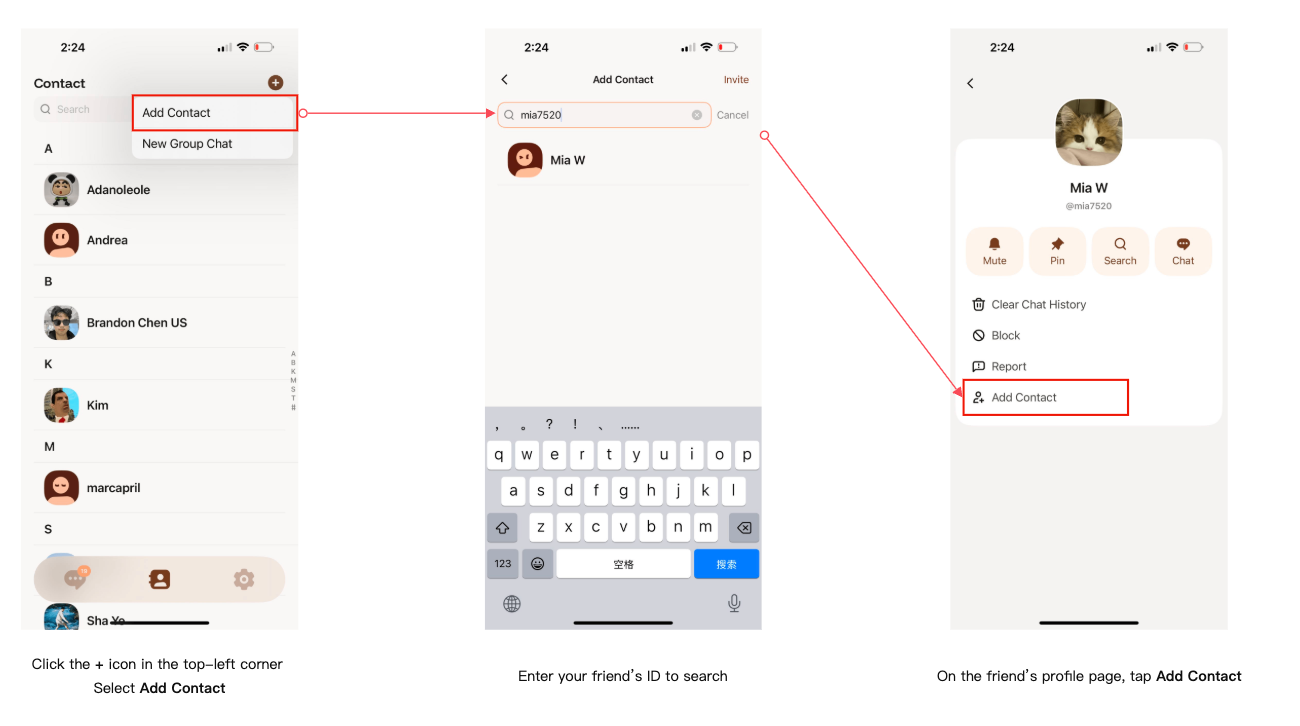
You can add a contact by searching their 【User ID】.
Please follow the steps below 👇
-
Step 1
Go to the Contacts page in the app, then tap the "+" icon in the top-right corner. -
Step 2
Select "Add Contact" from the menu. -
Step 3
Enter your friend's User ID in the search bar (for example: mia7520), then search. -
Step 4
Tap the user to open their profile, then tap "Add Contact".
Once added, you can start chatting right away
Tips
- Please make sure the User ID is spelled correctly
- User IDs may be case-sensitive
- If no result appears, the user may not be registered yet