

translation app for travel, travel translator app, voice translation, camera translation, offline translation, Intent
Nathan asked Twitter what translation app he should download for his trip to Vietnam. He got forty-seven replies. No two recommended the same thing.
Someone swore by Google Translate. Someone else said Google Translate was terrible for Vietnamese and he should use Papago. A third person said forget translation apps entirely — just use Google Lens. A fourth person told him to download five different apps "just in case." By the time he finished reading, his flight was in six hours and he was more confused than when he started.
The problem with translation app recommendations is that people recommend the app they use, not the app you need. The right app for reading a menu is not the right app for having a conversation. The right app for a weekend in Paris is not the right app for two months backpacking through Southeast Asia. Here is how to actually think about it.
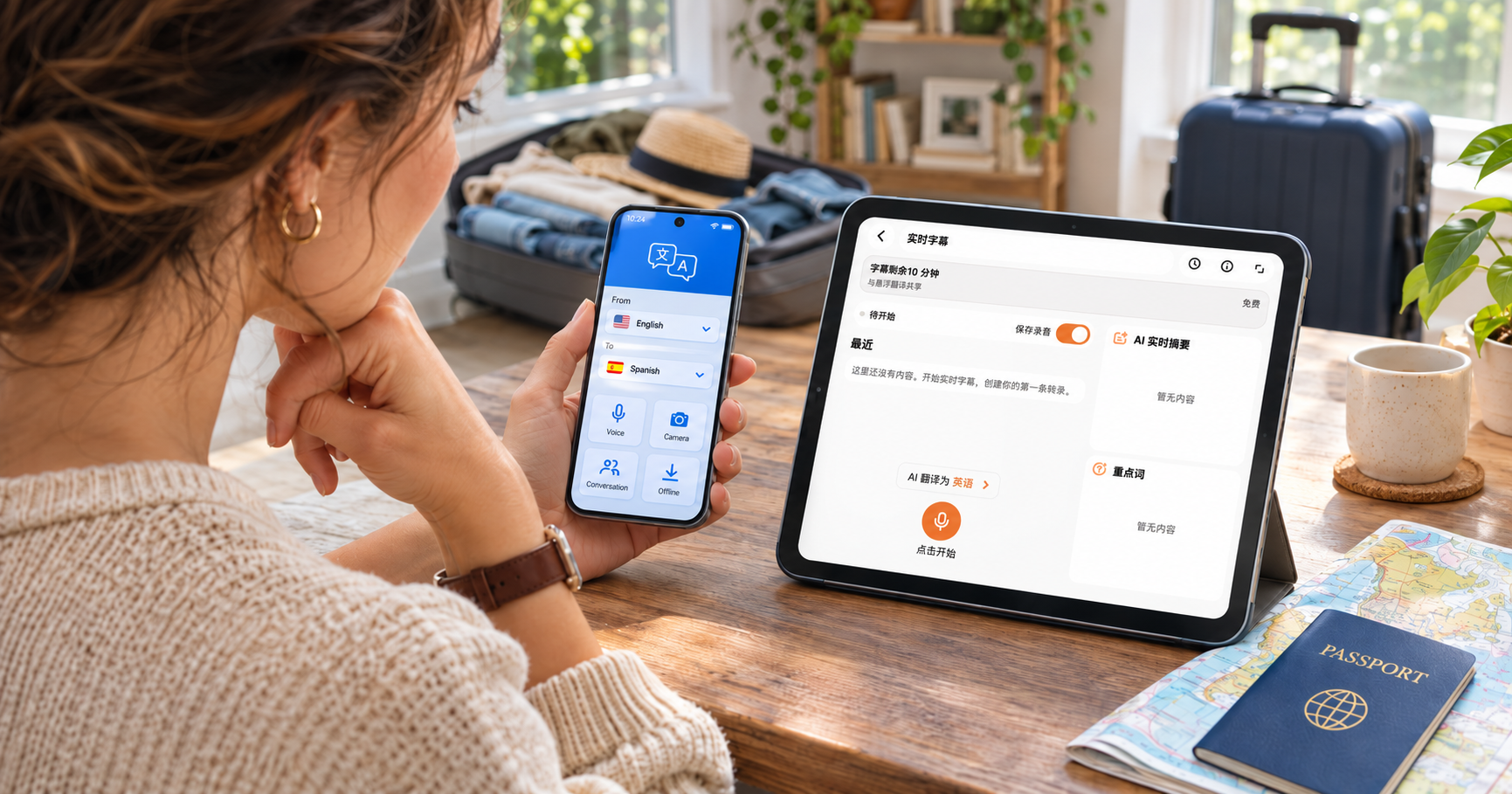
Match a translation app for travel to the job
Every translation app does at least one job well. None do all of them perfectly. Your task is to figure out which jobs matter for your trip.
Reading the world around you — signs, menus, labels, departure boards — is the most common need. For this, you want an app with camera translation for travel that works offline. You point your phone. It shows you the text in your language. Google Translate owns this category.
Talking to people face to face — ordering food, asking directions, explaining a dietary restriction — is the second job. You need voice translation that works in both directions and handles background noise reasonably well. Google Translate's conversation mode is fine for short exchanges. For longer conversations, a messaging app with built-in translation gives you more.
Staying in touch with people you meet — the hostel friend, the local guide, the person you sat next to on a three-hour bus — is the third job. This one matters after the trip. A messaging app where translation is automatic and voice messages keep your voice. This is Intent.
Most trips need all three. That means two or three apps, not one.
Camera translation — the non-negotiable
If you download nothing else, download something that reads text through your camera. It turns every street sign, every restaurant menu, every ingredient label from a source of anxiety into something you can work with.
Google Translate's camera mode is the standard. It works in real time — point your camera, see the translation overlaid on your screen. It handles many languages offline with downloaded packs. It is not perfect with handwriting or stylized fonts, but it is good enough for nearly everything a traveler encounters.
Google Lens is a decent alternative, built into most Android phones and the Google app on iPhone. It translates text in images and works with screenshots. For pure text recognition, Translate is better. For quickly translating something in a photo you already took, Lens is convenient.
Voice translation — what you need and what you do not
Voice translation is where the quality gap between apps is widest. Google Translate's conversation mode handles simple exchanges: you talk, it translates, they talk, it translates back. It works for ordering, asking directions, and basic questions. The voice is robotic. The pauses are awkward. But it bridges the gap.
For conversations that go deeper than "where is the train station," a messaging app that can translate text and voice messages in real time makes a bigger difference than most people expect. You send a voice message. The recipient hears it in their language — but in your voice. Same tone. Same warmth. Different words.
Nathan used Google Translate for ordering food in Hanoi. He used Intent for talking to the Vietnamese photographer he met at a café — a conversation that started as small talk and turned into a friendship. The photographer hears Nathan's voice messages in Vietnamese, in Nathan's voice. Nathan hears the replies in English. They still talk every week.
What matters more than translation quality
Translation accuracy varies by app, by language pair, and by context. The differences between Google, DeepL, and Intent are real but small for everyday conversation. What matters more than the last few percentage points of accuracy is whether the translation arrives inside the conversation or outside it.
A slightly imperfect translation that appears in your chat automatically — without you copying, pasting, or switching apps — is a better experience than a perfect translation you had to work for. The friction of using a separate translation tool for every message discourages you from sending the message at all. The best translation is the one that happens without you thinking about it.
What to download based on your trip
Weekend city break (one country, major city): Google Translate with the local language pack. You will mostly need it for menus and directions.
Multi-country backpacking trip: Google Translate with packs for every country. Add Intent before you leave — you will meet people you want to keep talking to.
Moving abroad for work or study: Google Translate for the first few weeks. Intent for ongoing conversations — with coworkers who do not share your language, with people you meet outside work. DeepL when you need a translation to be especially accurate.
Graduation trip with friends: Google Translate for the group logistics. Intent for the people you meet along the way — the ones you will still be messaging months after the trip.
Test your travel translation setup before departure
Do not let the airport be the first place you discover how an app works. Give yourself ten minutes at home and test it with the kinds of information your trip will contain.
Start with a hotel name, a train station, a food restriction, and one question you might ask a local person. Check whether names remain readable in the original language and whether you can enlarge the result before showing it to someone else.
Then turn on airplane mode. An app may advertise offline translation while keeping voice recognition, camera tools, or less common languages online. Find out which parts still work before you are standing on a platform without service.
Save critical information outside the translator too. Keep your accommodation address, booking confirmations, emergency contacts, insurance details, and transport tickets available offline. Translation can help you explain a problem, but it should not be the only place where the underlying information exists.
Finally, check privacy and history controls. Travel conversations can include names, reservation numbers, and locations. Know what the app saves and how to remove it. At a hotel desk, you can show a passport through the normal check-in process while translating only the extra request; there is rarely a reason to dictate every document detail into an app.
A good setup is simple enough to remember under pressure: one tool for signs and menus, one way to handle short spoken requests, and one place to continue a conversation when you want to stay in touch. If you choose Intent for ongoing chats, it includes a free allowance that refreshes weekly. If you need more usage, check the paid options in the app.
FAQ
What is the best translation app overall for travel?
There is not one best app — there are best apps for different jobs. Google Translate for reading signs and menus. Intent for ongoing conversations with people you meet. DeepL for high-quality written translations. Most travelers need two or three.
Do I need a separate app for camera translation?
Google Translate includes camera translation. It is the best version of this feature available and works offline with downloaded language packs. You do not need a separate camera translation app.
Is Google Translate's conversation mode good enough for travel?
For ordering food, asking directions, and short exchanges — yes. For longer conversations and staying in touch with people after the trip, a messaging app with built-in translation works better.
What makes a translation app good for conversation?
It translates inside the chat automatically in both directions. You do not press a translate button or switch apps. Voice messages keep the sender's voice. The translation is invisible — the conversation feels like a conversation.
Should I download multiple translation apps?
Yes. At minimum: Google Translate for camera translation and quick lookups. Intent for conversations with people you meet and want to keep talking to. They do different jobs and complement each other.
Does translation accuracy vary a lot between apps?
It varies by language pair more than by app. For major languages, Google Translate, DeepL, and Intent all produce good results. The bigger difference is how you use them — in-app automatic translation is better than copy-paste, even if slightly less accurate.
Are translation apps free?
Pricing and allowances vary by app and can change. Intent includes a free allowance that refreshes weekly. If you need more usage, check the paid options in the app. Review the current terms of every tool before your trip instead of assuming that all camera, voice, offline, or conversation features are included without limits.
Intent includes a free allowance that refreshes weekly. If you need more usage, check the paid options in the app.
*Read next: *How to translate text and voice messages in real time *Also see: *How real-time translation is changing cross-border communication
Related reading