Japan is one of the most visited countries in the world and one of the hardest to navigate without the local language. Unlike many tourist destinations where English signage is common, Japan relies heavily on its own writing system. Train stations display names in kanji. Restaurant menus are often entirely in Japanese. Product labels, vending machines, temple inscriptions, and street signs all assume you can read at least one of the three Japanese scripts. For the millions of travelers who visit Japan each year without speaking the language, an image translator is not a luxury — it is a necessity. Instead of trying to type characters you cannot read into a text translator, you photograph the Japanese text and get an instant English translation. This guide shows you how to translate Japanese to English from any image using Intent's free image translator, and explains why Japanese text requires a smarter approach than most languages.
Why Japanese Is One of the Hardest Languages to Translate from Images
Japanese uses three distinct writing systems, often mixed together in the same sentence, which makes it uniquely challenging for image translation. Kanji are Chinese-derived characters that represent whole words or concepts. There are over 2,000 in common use, and each one can have multiple readings depending on context. The character 生 alone has dozens of possible meanings and pronunciations, from "life" to "raw" to "student." Translating kanji accurately requires understanding the surrounding context, not just recognizing the shape. Hiragana is a phonetic script used for native Japanese words, grammatical particles, and verb endings. Its 46 characters are rounded and flowing, which makes them susceptible to recognition errors when handwritten or displayed in decorative fonts. Katakana is another phonetic script, primarily used for foreign loanwords, brand names, and emphasis. A Starbucks menu in Japan might list コーヒー (koohii — coffee) in katakana, while the food descriptions use kanji and hiragana. Most Japanese text mixes all three scripts freely. A single restaurant sign might contain kanji for the dish name, hiragana for the grammar, and katakana for a foreign ingredient. An image translator must identify and correctly process all three scripts simultaneously, a task that trips up many general-purpose translation tools. Intent's image translator handles mixed-script Japanese text natively, producing natural English translations regardless of how many writing systems appear in the image.
How to Translate Japanese to English from a Photo
Translating Japanese images with Intent takes three simple steps and works on any device. Step 1: Photograph the Japanese text. Use your phone camera to snap a clear photo of the sign, menu, label, or document. Hold your phone steady and ensure the text is well-lit and sharp. Japanese characters are dense and detailed — a slightly blurry photo can mean the difference between an accurate translation and garbled output. Step 2: Upload to Intent's image translator. Open the free image translator in your browser. Upload the photo directly — no app installation, no account registration, no payment required. Step 3: Select English and translate. Choose English as your target language and hit translate. In seconds, you receive a translated image with the English text positioned where the Japanese text appeared, preserving the original layout so you can easily match each translation to its source. This process works equally well for printed text, digital screenshots, scanned documents, and even reasonably clear handwritten Japanese.
Translate Japanese Images Free
Where Japanese Image Translation Makes the Biggest Difference
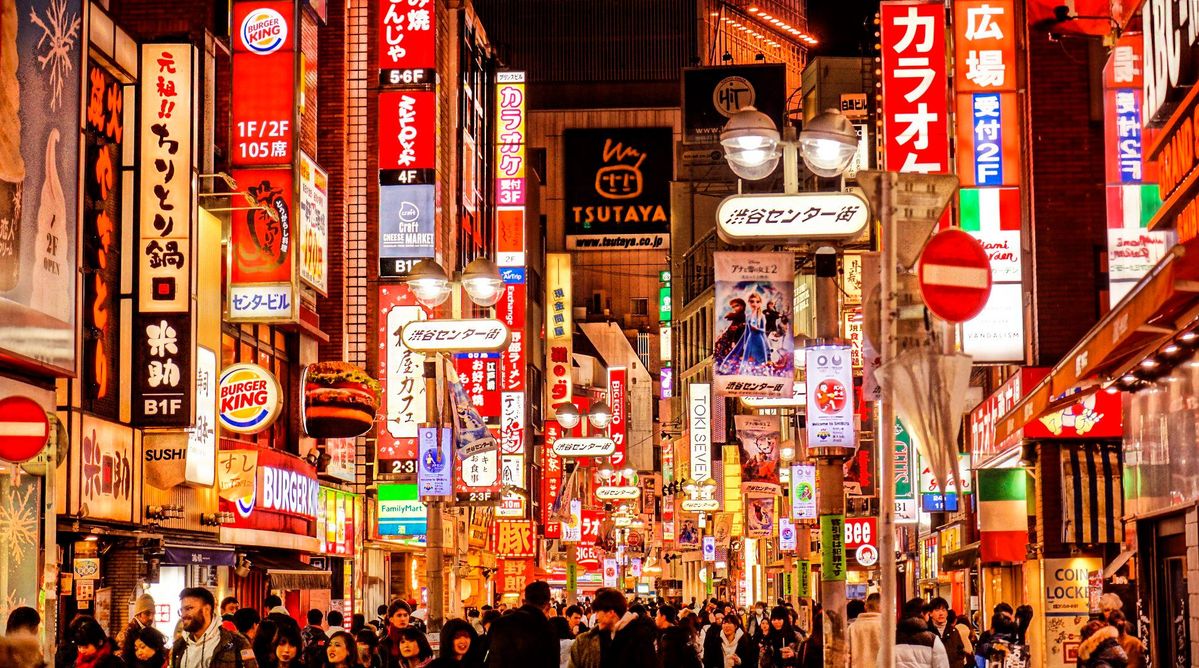
Japan travel is the most common use case, but the need for Japanese image translation extends far beyond tourism. Navigating Japan's train system. Japan has one of the most complex rail networks in the world. While major stations in Tokyo and Osaka display English alongside Japanese, smaller stations, local lines, and bus stops often show only Japanese. Translating station signs and route maps with a quick photo prevents wrong turns and missed connections. For real-time spoken interactions — like asking station staff for directions — AI voice translation for calls is another powerful tool in your travel kit. Ordering food confidently. Many of Japan's best restaurants — from ramen shops to izakayas to sushi counters — have menus written entirely in Japanese. Some display plastic food models, but not all. Translating the menu lets you order based on what you actually want to eat, not what you can guess from a picture. This is also critical for avoiding allergens in a country where food allergy awareness differs from Western norms. Reading product labels. Japanese skincare, snacks, medicine, and household products are popular worldwide, but the labels are in Japanese. Whether you are shopping in a Japanese convenience store or bought a product online, translating the packaging tells you exactly what you are applying, eating, or using. Understanding cultural and historical sites. Temples, shrines, museums, and historical markers throughout Japan feature explanatory text almost exclusively in Japanese. Translating these inscriptions transforms a walk through Kyoto from a visual experience into an educational one. Check out the photo translator guide for more travel translation strategies. Manga, gaming, and anime content. Japan is the epicenter of manga, anime, and gaming culture. Untranslated manga chapters, Japanese game interfaces, and anime merchandise often reach global fans before official English versions exist. Image translation lets fans access this content immediately. Intent is also purpose-built for AI manga translator workflows specifically. The same approach works for translating Korean text in K-pop and webtoon images as well.
Tips for Accurate Japanese Image Translation
Japanese text recognition is technically demanding. These practices consistently improve your results. Shoot close and sharp. Kanji characters pack many strokes into a small space. A slightly blurry photo may cause the translator to confuse similar characters — 待 (wait) versus 持 (hold), or 末 (end) versus 未 (not yet). Get physically close to the text rather than relying on digital zoom. Mind the vertical text. Traditional Japanese signage, menus, and literary text often flows top-to-bottom, right-to-left. Photograph vertical text straight-on so the translator can correctly identify the reading direction. Tilting your phone sideways for a "landscape" shot of vertical text may confuse the detection engine. Separate mixed content. If an image contains both a large Japanese headline and small English subtitle text, the translator handles it fine. But if a busy poster mixes Japanese text with decorative graphics, logos, and overlapping elements, cropping to just the text area improves accuracy. Use natural lighting when possible. Flash photography on glossy menus and laminated signs creates glare spots that obscure characters. Natural or ambient lighting produces more even illumination and cleaner recognition. For more image translation tips across languages, visit the Intent blog.
Why Intent Is the Best Japanese Image Translator
Japan's three-script writing system demands more from an image translator than most languages. Intent meets that demand with features built for real-world Japanese text. Mixed-script recognition. Kanji, hiragana, and katakana appearing in the same image are all detected and translated correctly — no need to separate them or identify scripts manually. Natural, context-aware translations. Japanese is a high-context language where the same characters produce different meanings depending on surrounding text. Intent translates phrases and sentences as semantic units, not character by character, producing English that actually makes sense. Layout preservation. Japanese menus, signs, and documents have distinctive visual layouts, vertical columns, dense character grids, mixed-direction text blocks. The translated image maintains the original structure, so you always know which translation corresponds to which section. 100+ target languages. While Japanese to English is the most common pair, Intent's image translator also translates Japanese to Chinese, Korean, Spanish, French, and over 100 other languages — useful for non-English-speaking travelers visiting Japan. Free and instant in your browser. No app to install on your already-full phone. No account to create when you are standing hungry outside a ramen shop. Open the tool, upload the photo, read the translation. That is the entire workflow. Japan is too extraordinary a destination to experience through guesswork. With Intent's free image translator on your phone, every sign, menu, label, and inscription becomes readable — and your trip becomes richer for it.